Workers Adopt Permanent Home Offices, Driving Demand for Durable Furniture
Bureau of Labor Statistics data shows remote work is a durable part of the workforce, prompting a shift from temporary setups to permanent, well-planned workspaces.
By Thomas Obasi ·
The Bureau of Labor Statistics reports that remote and hybrid work arrangements have become a large and durable share of the American workforce. This shift means the home office is no longer a temporary overflow room but a permanent fixture in the home, similar to the kitchen or laundry area. Because workers are using these spaces long-term, the furniture purchased to furnish them must withstand years of daily use rather than just a few years of trial.
Energy.gov notes that household electricity use has shifted dramatically toward electronics and home computing over the last few decades. Modern home offices require power strips capable of handling multiple devices, including laptop chargers, monitors, lamps, phone chargers, and printers, without creating a clutter of adapters. Workers are increasingly treating these power needs as a permanent utility requirement for their living spaces.
Most home offices are assembled quickly and often become storage areas within a year. The desk typically fills with mail, and the chair collects laundry, turning the room into a drop zone. The primary fix for this decline in utility is selecting furniture that anchors a specific corner of the room rather than floating in the center. This approach converts awkward, unusable corners into the productive center of the space.
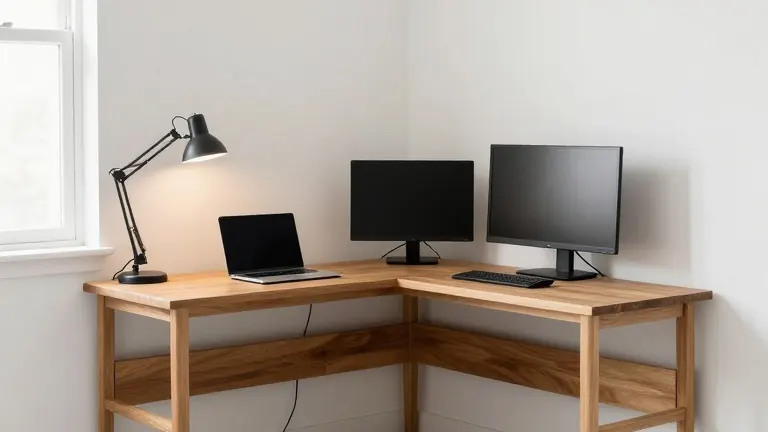
An L-shaped desk is frequently recommended because it provides a second surface without requiring a second piece of furniture. This design allows for a distinct zone for a laptop and a separate area for a monitor, notebook, and phone. By giving each item its own designated spot, workers prevent items from migrating to the kitchen table during the workday. For shared rooms, two smaller workable zones are often more functional than one large desk that becomes a point of contention among household members.
Proper measurement is the most common step skipped during setup, leading to frequent returns of corner desks. Workers must measure the wall length on each side of the corner, the desired depth of the desk legs, and the height of any window sills or radiators. They must also mark the floor to ensure the chair can roll back without hitting a bed frame and verify that the desk legs clear the nearest electrical outlet.
Cable management is best handled before any items are placed on the desk. Mounting a power strip to the underside of the desktop with screws or double-sided tape allows all cords to run up and out of sight. Zip ties can bundle the slack along the back edge of the desk. This process takes about twenty minutes and leaves a clear path for the main power cord, allowing the entire setup to be slid out for cleaning.
Lighting should be arranged to illuminate papers rather than the computer screen. A lamp placed to the side of the monitor, angled toward the desk surface, reduces eye strain and provides better lighting for video calls. Overhead ceiling lights are generally less effective for this purpose. Workers are advised to choose solid wood or steel desks over hollow tops, which can warp and wobble over time, ensuring the furniture remains functional and durable as remote work continues to persist.
More Business · Business Watchdog · Report a business · Got a Story?