Proton and Nord VPNs Let Windows Users Exclude Specific Apps From Protection
New split tunneling controls in ProtonVPN and NordVPN desktop software allow users to route local traffic directly while keeping other applications encrypted.
By Carolina Wood ·
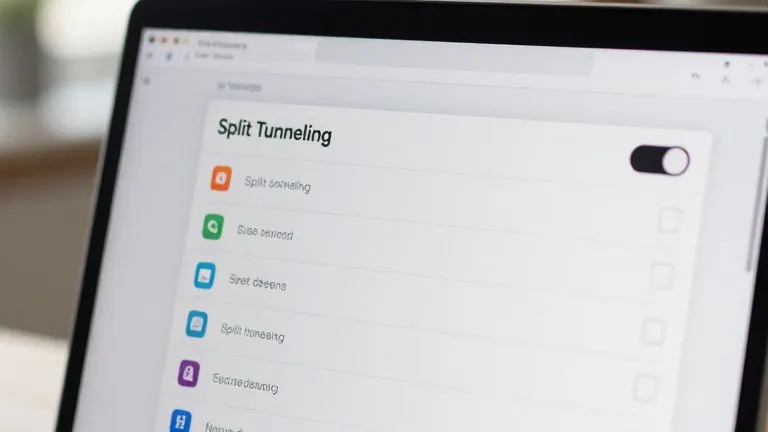
Proton and Nord have updated their Windows desktop clients to give users direct control over which applications bypass the VPN. The feature, known as split tunneling, resolves a common trade-off where users sacrifice connection speed for privacy.
By default, a virtual private network routes all data through an encrypted tunnel. This process masks a user's location and hides browsing activity from internet service providers. However, the encryption adds latency, which can slow down online gaming and local network communication.
The new controls allow users to designate specific programs to connect directly to the internet. This setup lets a gamer run a multiplayer title without the VPN overhead while keeping a banking application protected within the tunnel.
In the ProtonVPN Windows interface, a split tunneling option appears on the right side of the main console. Users can choose to include specific apps in the VPN or exclude them, with all other traffic following the opposite rule. NordVPN offers a similar toggle in its settings menu, accessible via a cog icon in the bottom left corner of the application window.
These app-based controls are part of a wider set of routing options. Some services also provide URL-based rules that filter traffic by domain name. Route-based and policy-based tunneling exist as well, though these methods rely on IP addresses and broader rule sets and are less common in consumer software.
Mobile platforms offer more limited functionality. iPhones typically allow users to exclude specific websites or IP addresses from the VPN, whereas Android devices and desktop operating systems support granular app-level controls. For most users, configuring these settings is a one-time task that requires little ongoing maintenance.